Portals
Six portals.
One record underneath.
Each portal is a focused surface for one job. The data is shared, so nothing is entered twice.
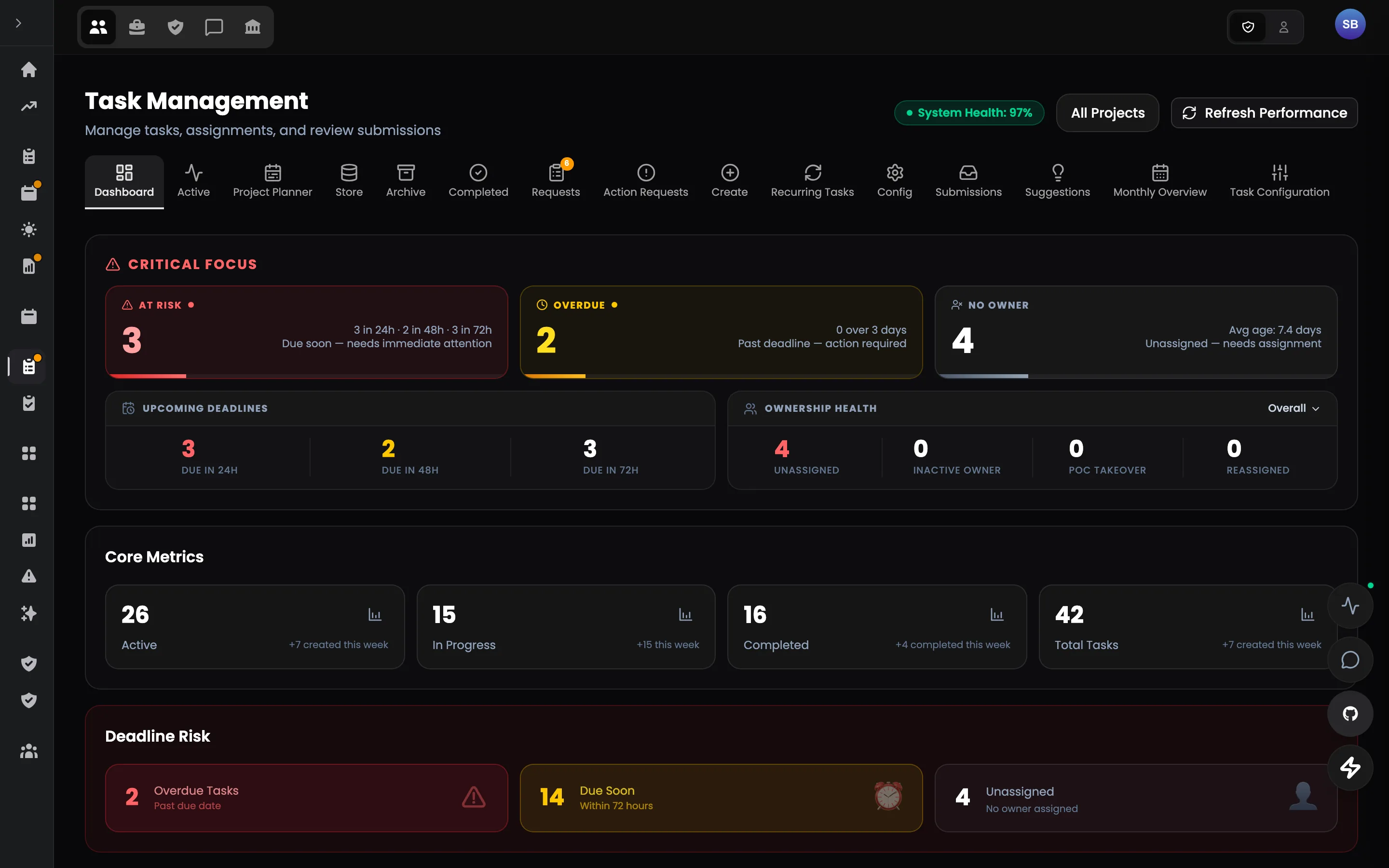
01 · Work · 14 modules
Workspaces
Where the work itself gets done.
Tasks, reviews, triage and rules in one authoring surface — the same board for admins and talents.
- Structured briefs with requirements
- Routing, claims and extensions by rule
- Reviews against what was asked
- Archives and recovery
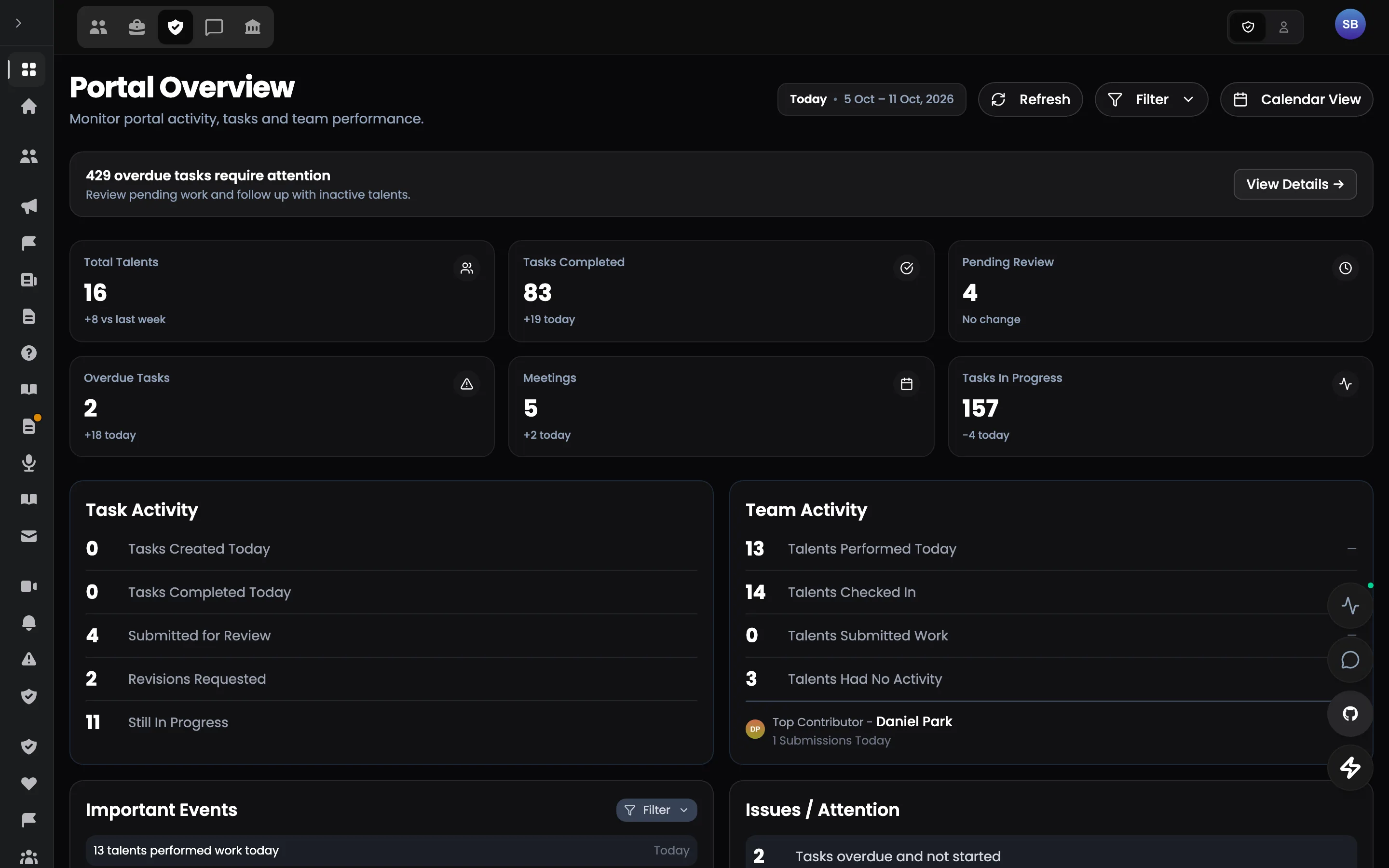
02 · Operations · 24 modules
Operations
Run the day-to-day of the whole workforce.
Attendance, leave, planning, tasks, check-ups, reports and performance — every operational signal on one record.
- Operational health at a glance
- Shift planner and attendance
- Check-ups and shift reports
- Performance and compliance
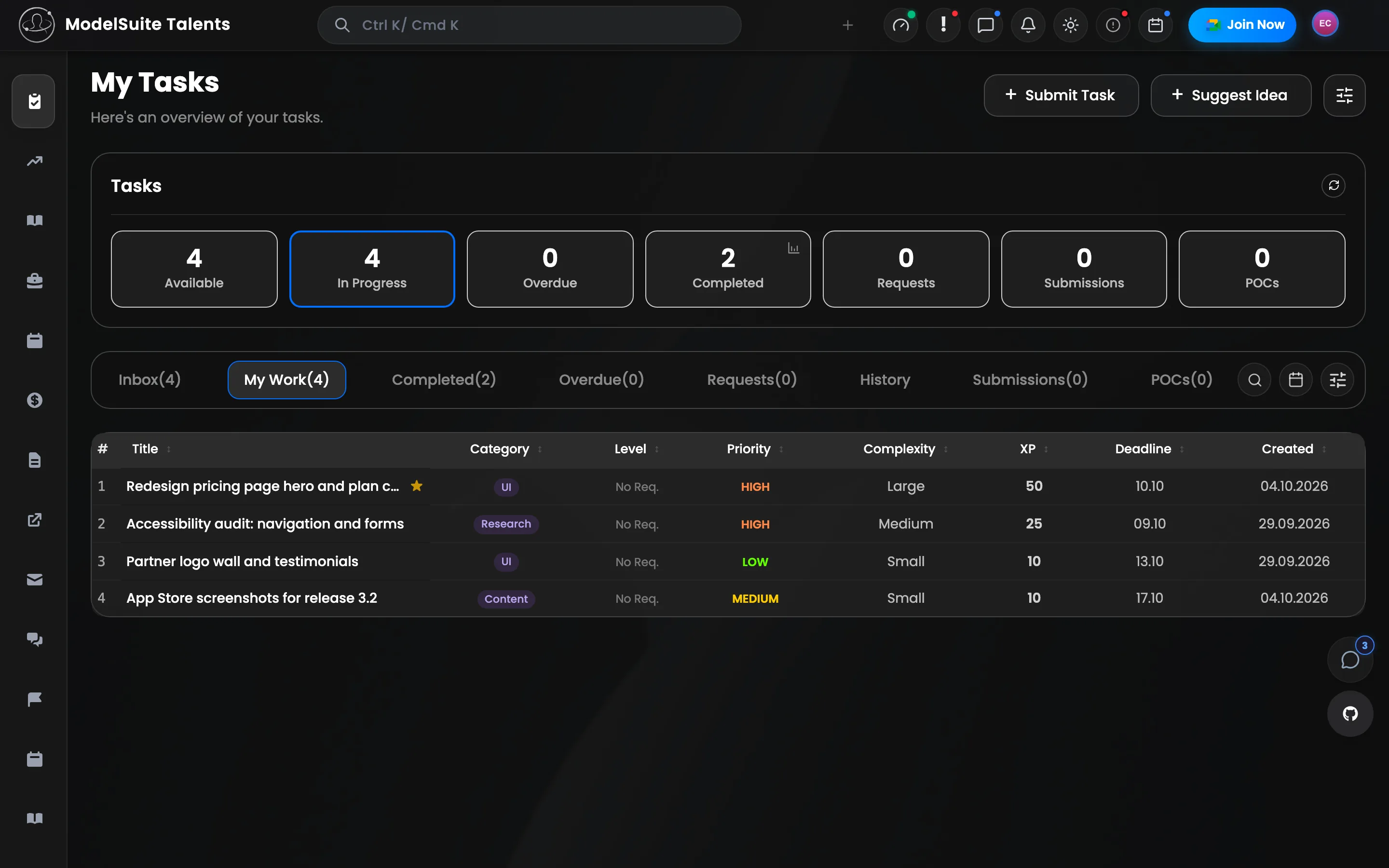
03 · People · 16 modules
Talent portal
The same record, from the talent's side.
Everything a talent needs to own their work: tasks, check-ups, schedule, reports, standing, time off, payments, documents and learning.
- My tasks with XP
- Schedule, time off and pay
- Leaderboard and badges
- Documents and learning
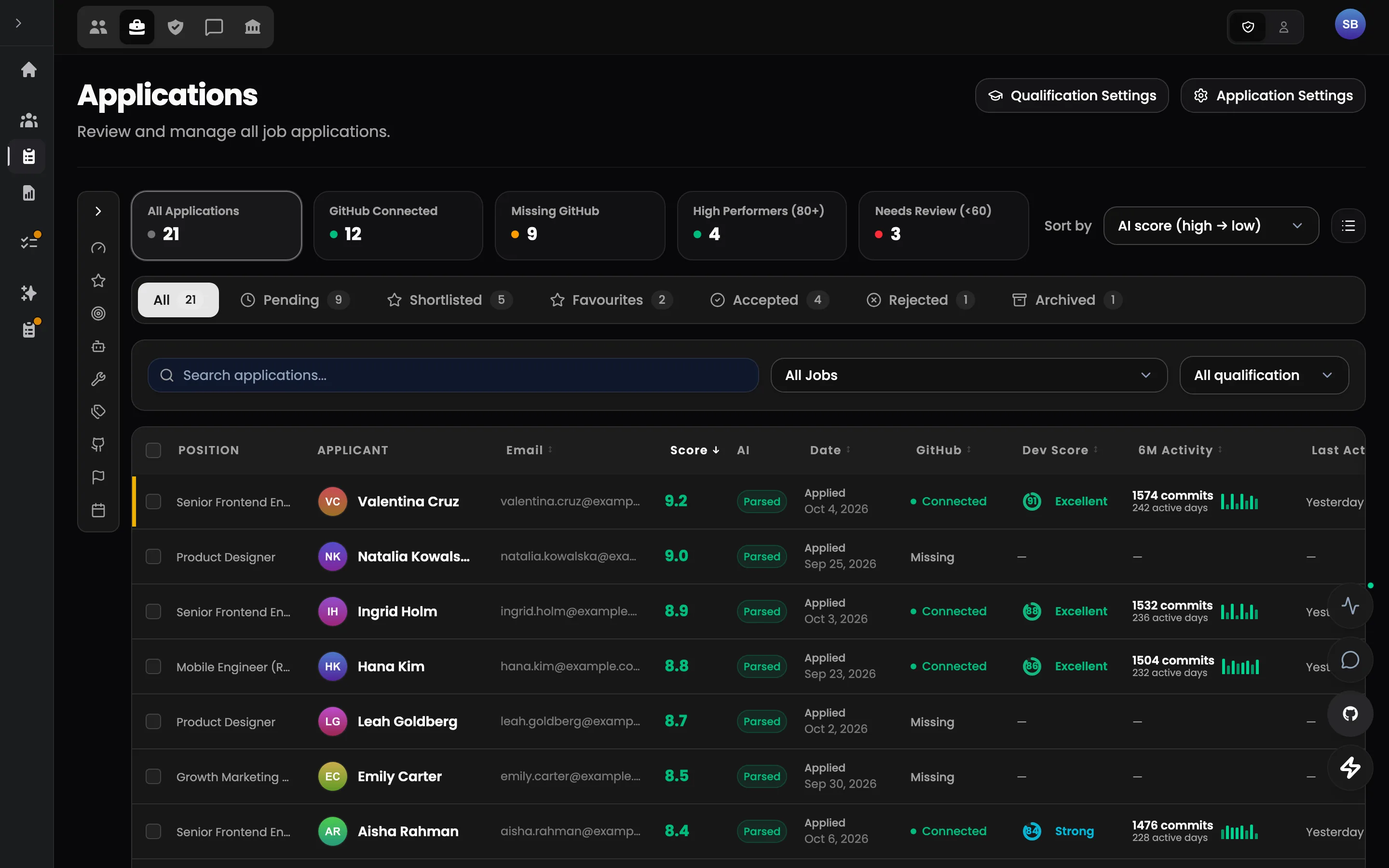
04 · People · 8 modules
Hiring
From public careers page to first day.
Job listings, applications, résumé parsing, onboarding forms and guided get-started flows.
- Branded careers page
- Screening room on evidence
- Statuses with rules
- Onboarding until day one
05 · Operations · 10 modules
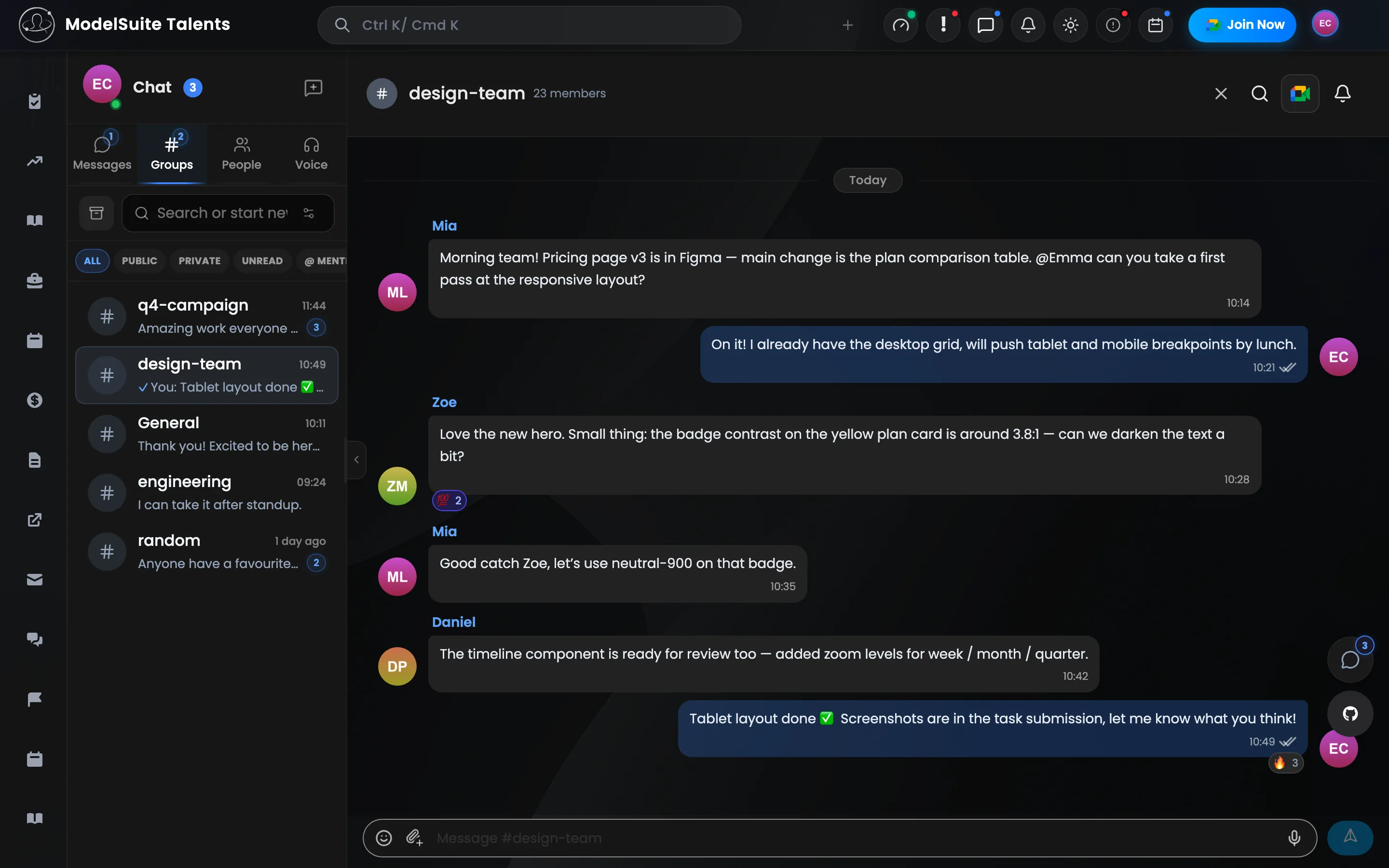
Communication
One messenger for the whole organization.
Conversations, groups, voice channels, templates and a bot — with XP and usage analytics on top.
- Direct, group and voice
- Templates, polls and auto-welcome
- System events in the room
- Internal Q&A
06 · Operations · 35 modules
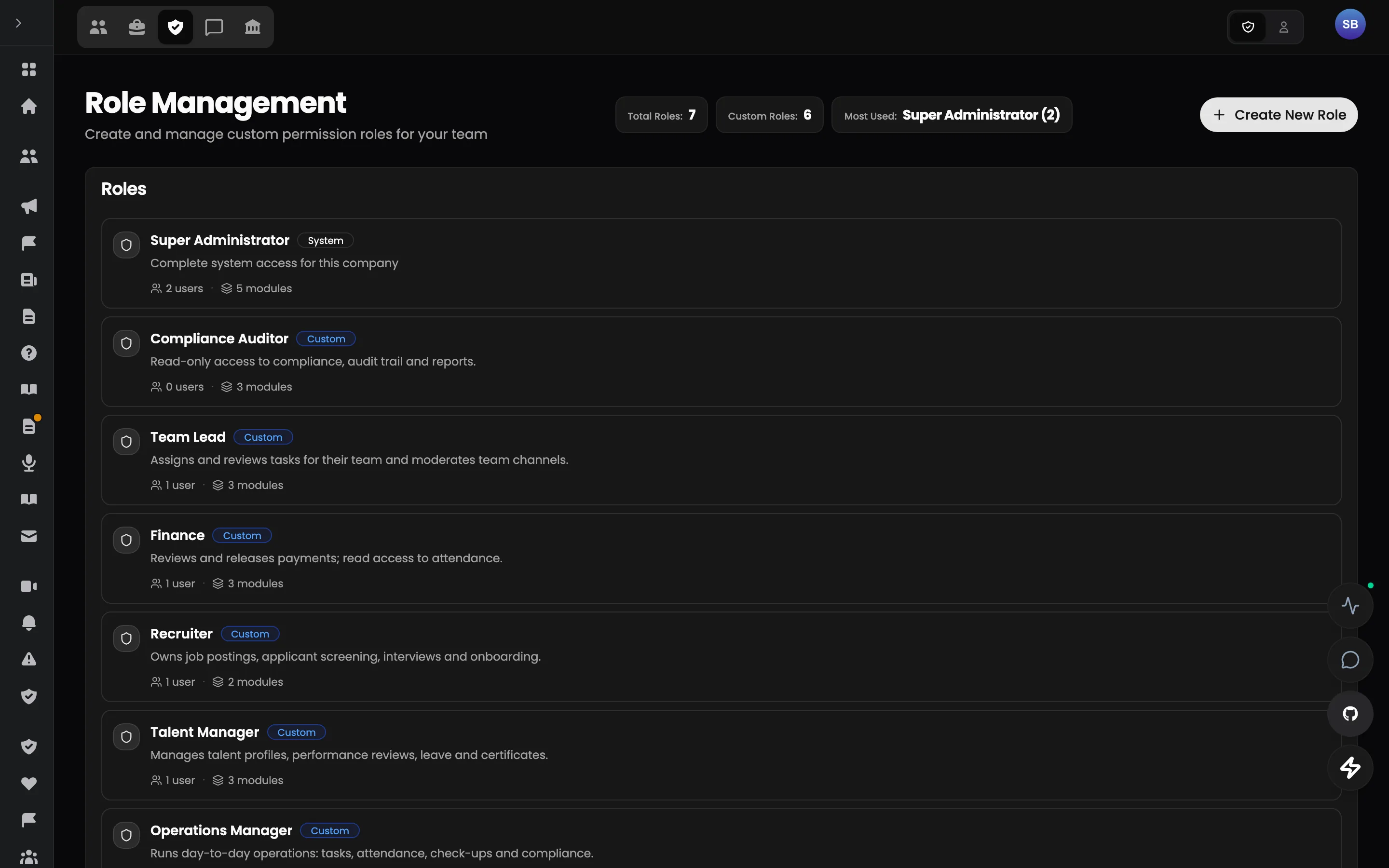
Admin
Govern the organization.
Talents, content, meetings, strikes, access and every system setting — with an audit trail underneath.
- Talent registry and offboarding
- Announcements, policies, knowledge
- Roles, permissions and audit trail
- Company configuration
The pilot
Don't replace your stack on day one.
Start with the one workflow where fragmentation costs the most. Run Talent Portal alongside your current tools, measure the result, and expand only if it works.