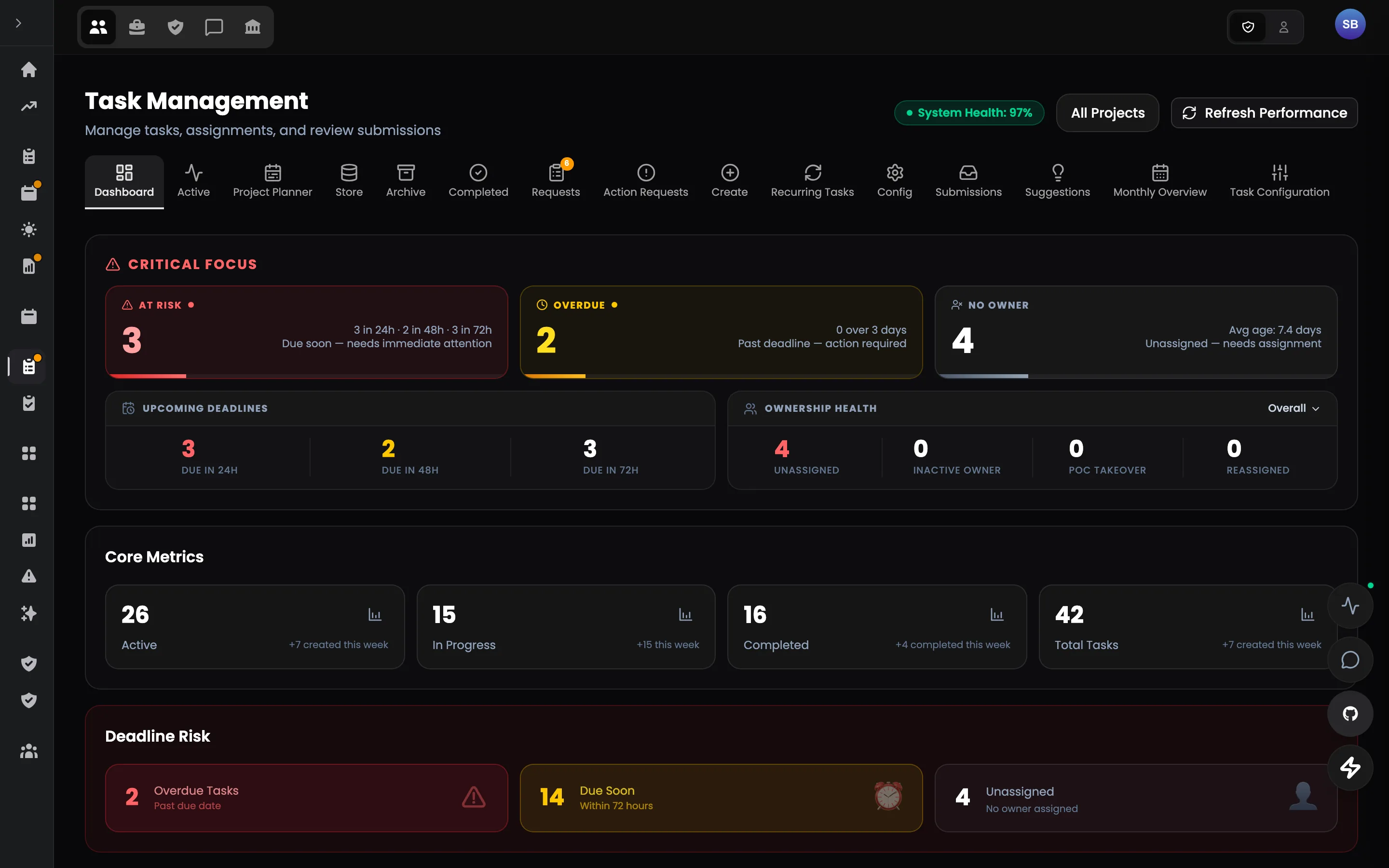
Who it is for
Team leads, reviewers and every talent who takes on work.
Tasks, reviews, triage and rules in one authoring surface — the same board for admins and talents.
- Structured briefs with requirements
- Routing, claims and extensions by rule
- Reviews against what was asked
- Archives and recovery
14 modules
Inside the portal
Every module, as named in the product's own navigation.
Tasks
All Tasks
Every task with status, owner, reviewer and due date.
Create & Edit
Structured authoring with checklists, attachments and XP.
Recurring Tasks
Templates that reissue themselves on a schedule.
Pending Requests
Claims, extensions and reassignments waiting for a decision.
Completed & Archived
The record of finished work, searchable.
Monthly Overview
Throughput and completion per month.
Urgent Tasks
Marked and surfaced first.
Assignment Groups
Pools that can claim work.
Task Colours
Colours per category, set once.
Dismissed Tasks
Hidden from a person's list, not deleted.
Rules & Review
Reviewer Rules
Who reviews what, and what a pass requires.
Completion Summary
What a talent must attach for a task to count.
Suggestions
Talents propose tasks; admins accept or decline.
Idle Users Monitor
Who has had no active task for how long.
Module list follows the product's navigation configuration.
Features in this portal
The pilot
Don't replace your stack on day one.
Start with the one workflow where fragmentation costs the most. Run Talent Portal alongside your current tools, measure the result, and expand only if it works.