Workforce OS · Work · People · Operations
Run your whole workforce
on one record.
Hiring, tasks, shifts, check-ups, reports, pay and chat — one system for admins and talents, instead of six tools that never agree.
- Pillars
- 3
- Portals
- 6
- Record
- 1
The problem
Six tools. Six versions of the truth.
Work in a task tool, people in a spreadsheet, attendance in a tracker, pay in another system, conversations in chat. Every handoff loses context — and someone assembles the picture by hand every Friday.
Spreadsheets
Rosters, leave and payments maintained by hand.
Chat threads
Briefs and decisions lost between messages.
Time trackers
Hours that never match what was reported.
Drives
Documents without owner, expiry or approval.
Inboxes
Applications screened from a résumé pile.
Manual chasing
Reminders instead of rules.
Who it is for
Built for organizations that run work through people.
Four shapes of organization where the same fragmentation shows up — each with its own pilot scope.
Agencies
Briefs, talents, reviews and delivery on one record.
For agencies and production teams that run creative or content work through a changing roster of people, with a brief, a deadline and a reviewer on every piece.
ExploreOperations teams
See today. Run today. Know what moved.
For operations leads running shifts, attendance, daily priorities and reports for a workforce — and assembling the picture by hand at the end of the week.
ExploreDistributed teams
One place to talk, with the work already in it.
For organizations whose people work across locations, time zones and shifts — where context is lost between the message, the task and the person.
ExploreGrowing companies
Add structure without adding another tool.
For companies whose stack has grown one tool at a time and whose managers now spend their week moving information between them.
Explore
One system
Three pillars. One operational record.
Work, People and Operations are not separate products. They are three views of the same record — so a change in one is known in the others.
01
Work
From request to reviewed, finished work.
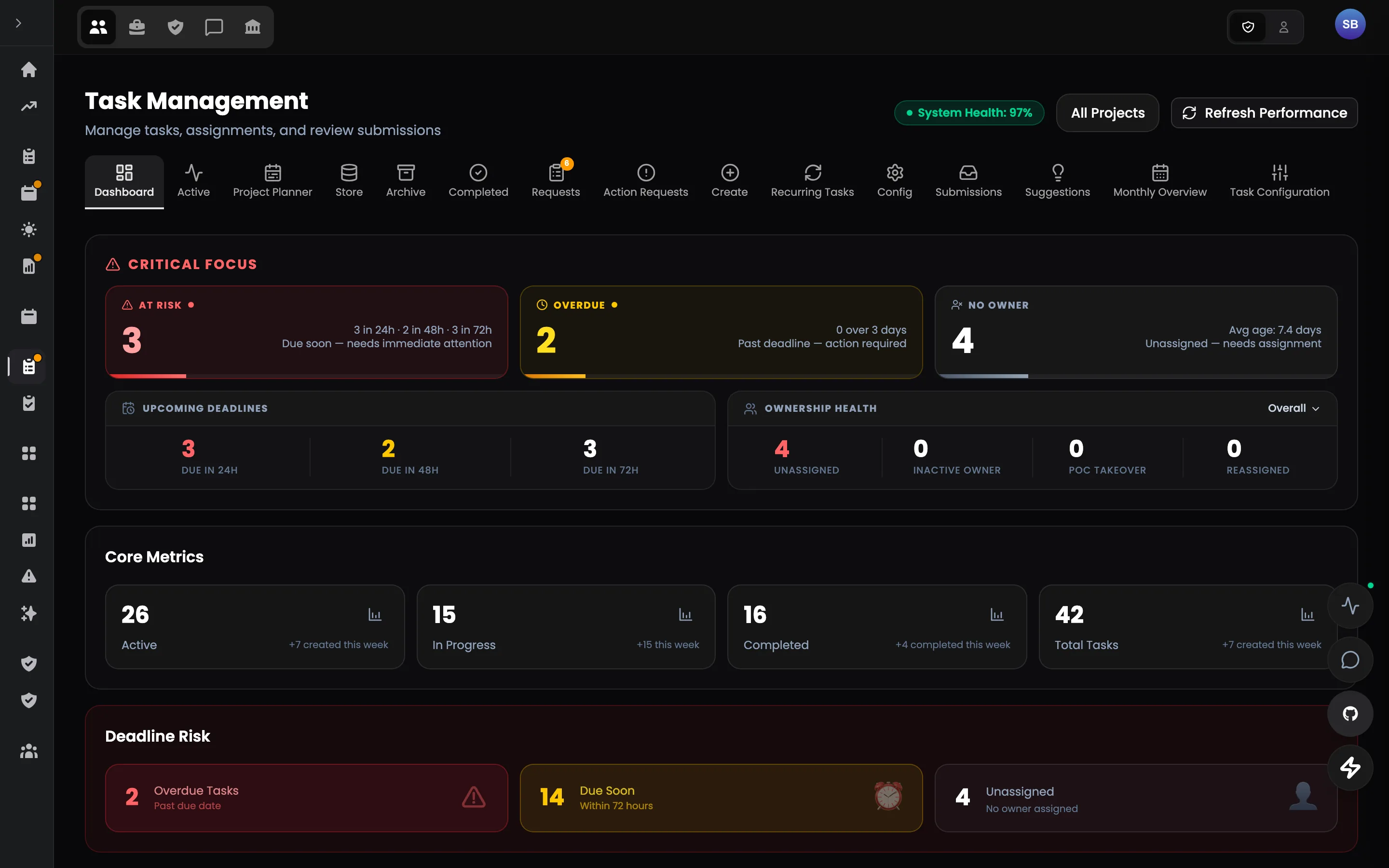
Tasks carry their brief, requirements, reviewer and deadline. Check-ups set the day's intent, shift reports prove what moved.
Work is reviewed against what was asked — and finished work stays recoverable.
02
People
Candidate to team member, on one record.
A careers page, a screening room, onboarding flows, documents, pay and learning — every step keyed to the same person.
- Careers page
- Hiring pipeline
- Onboarding
- Time off & attendance
- Documents
- Payments
- Learning hub
- XP, badges & leaderboard
A candidate becomes a team member without anything being entered twice.
03
Operations
Run the day without assembling reports.
Attendance, meetings, communication, analytics and access — computed from the work record, not reported by hand.
See what needs attention before someone has to ask.
Inside the product
Every feature, one click away.
Pick a pillar, then a feature — and see where it lives in the product.
From request to reviewed, finished work.
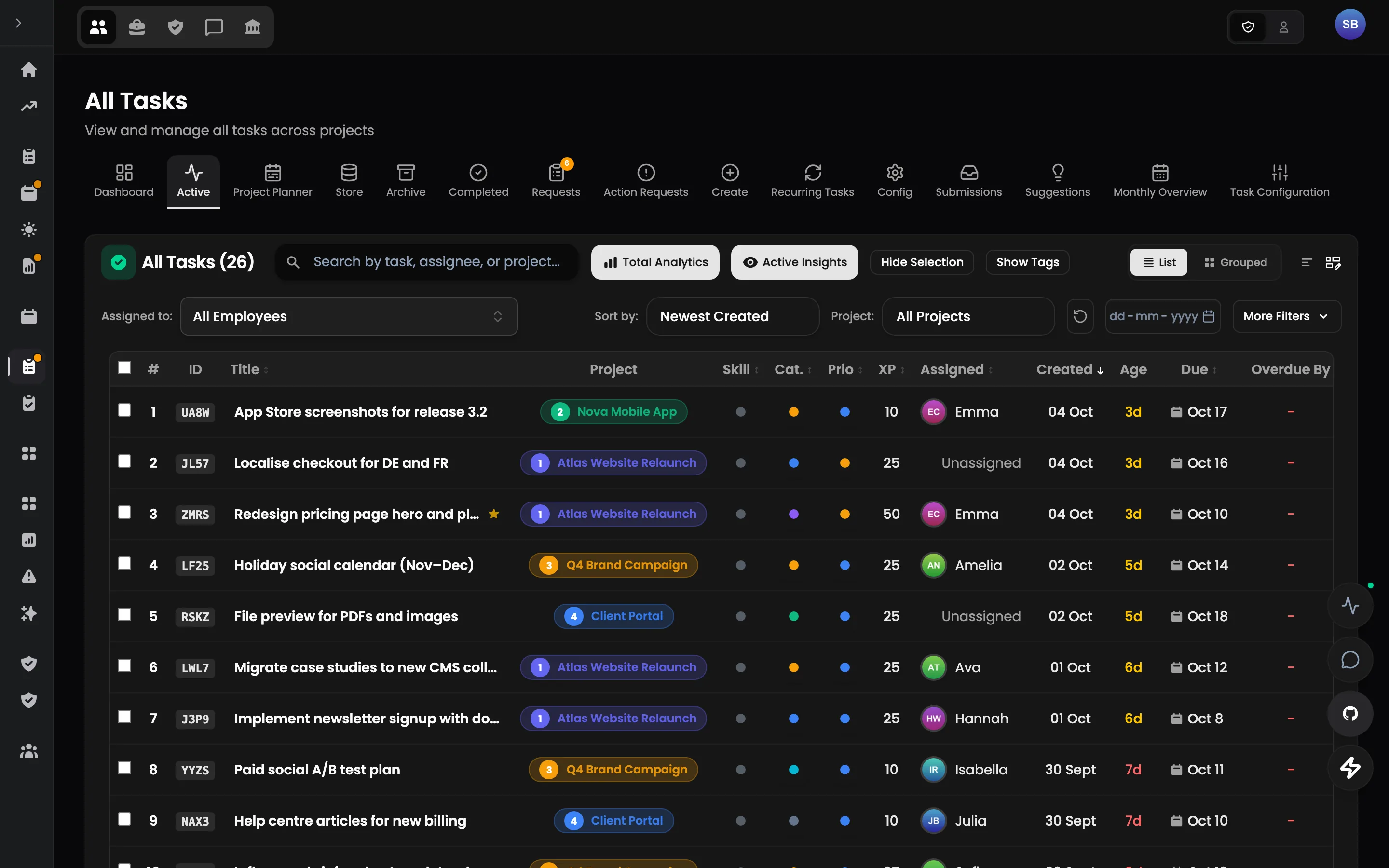
Tasks are structured objects — title, project, requirements, assets, assignee, reviewer, deadline and XP — reviewed against what was asked instead of in a chat thread.
Explore Tasks & reviews →Signature features
Built around how the day actually runs.
01 · Work
Tasks & reviews
Every task carries its brief, its reviewer and its rules.
Tasks are structured objects — title, project, requirements, assets, assignee, reviewer, deadline and XP — reviewed against what was asked instead of in a chat thread.
- Structured authoring — Checklists, attachments, requirements and XP in one task form; presets built from real tasks.
- Routing by rule — Assign to a person, a group or an open pool; assignment groups can claim work.
- Claims & extensions — Claims, extensions and reassignments move through one pipeline with rules, not DMs.
- Review against requirements — Reviewer rules per category and a completion summary that defines what must be attached.
02 · Work
Daily check-ups
Morning intent. Evening proof.
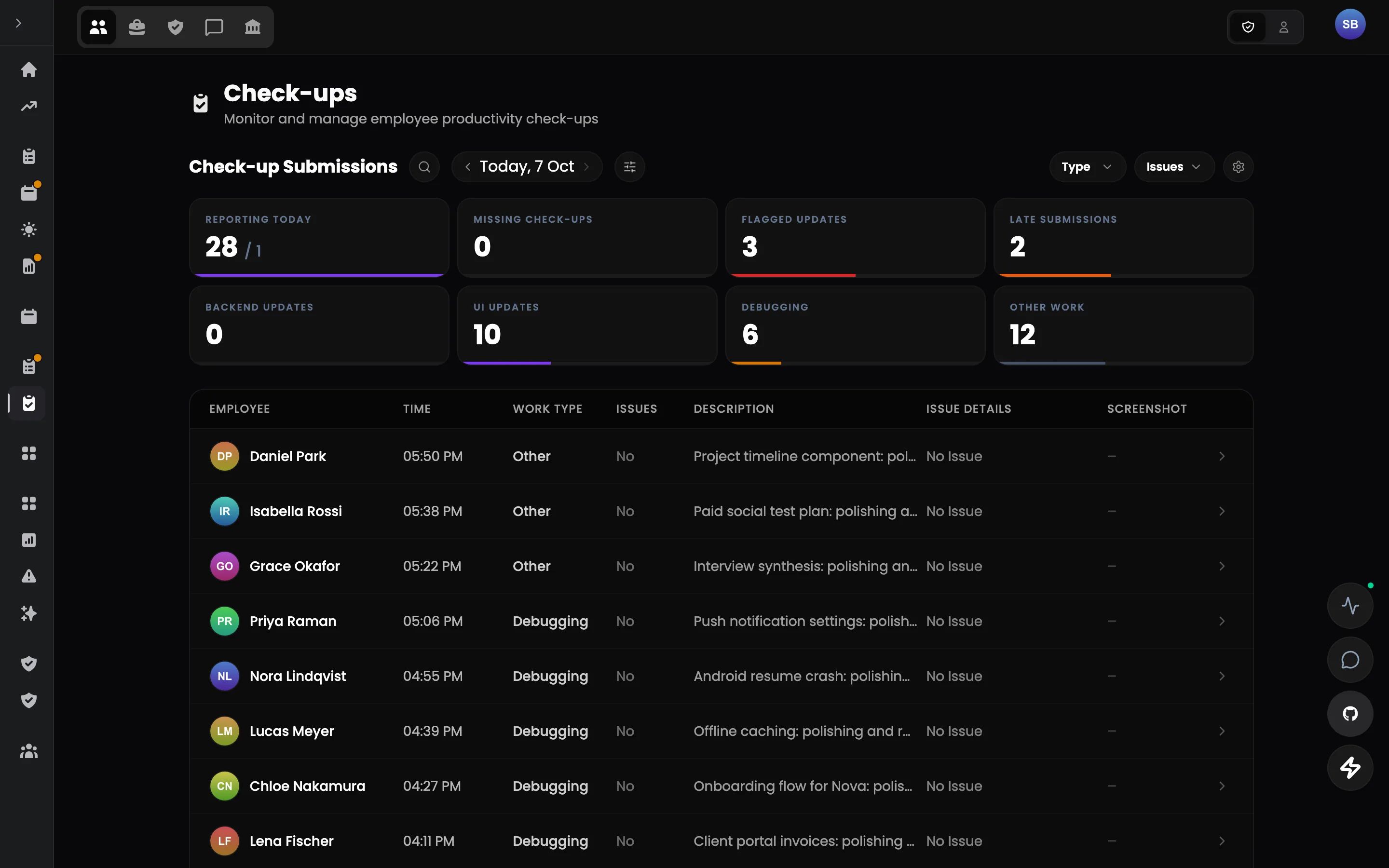
Each person commits the day's deliverables in the morning and shows what moved in the evening — a daily loop that makes priorities visible per person, per day.
- Morning check-up — Deliverables and priorities committed at the start of the shift.
- Evening proof — Each deliverable reported against the morning's plan.
- Three-hour check-ins — A short in-shift check-in — what is being worked on, any issue — pending, approved or flagged.
- Reviewed by a person — Check-ups are approved or flagged by a reviewer, on the record.
03 · People
Hiring pipeline
Hire on evidence, not on a résumé pile.
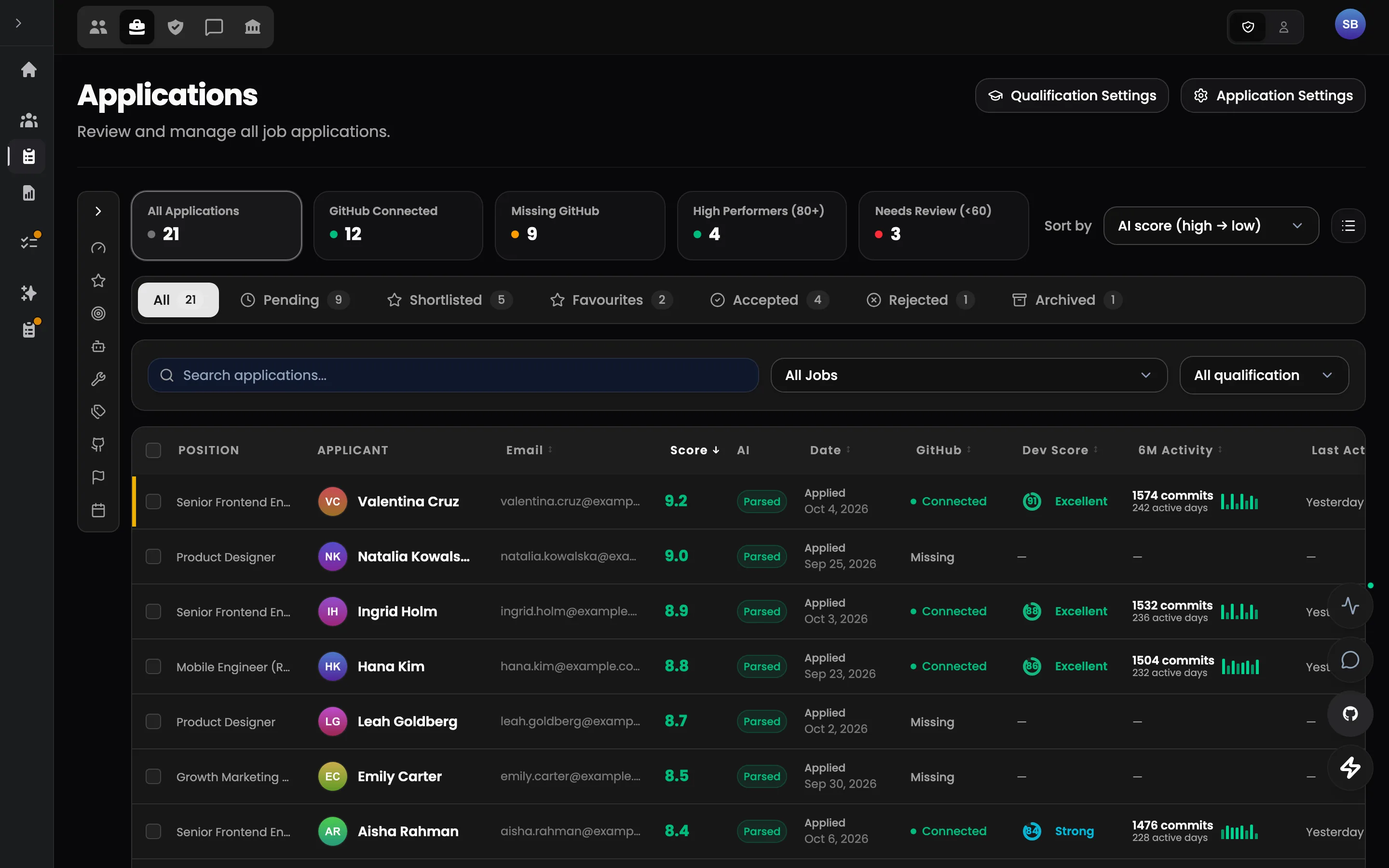
Every applicant by stage with parsed skills, answers, notes and next step. Your own statuses, with rules for who may move whom and what each move triggers.
- Screening room — Applicants by stage with status, notes and next step — filtered on evidence.
- Résumé parser — AI extracts skills and history from uploaded CVs into structured fields.
- GitHub intelligence — Repository activity and profiles as evidence in screening.
- Structured applications — Questions, uploads and qualifications instead of an inbox.
Dual perspective
One truth. Two purpose-built lenses.
Admins get the context to run the organization. Talents get the context to own their work. Both look at the same record.
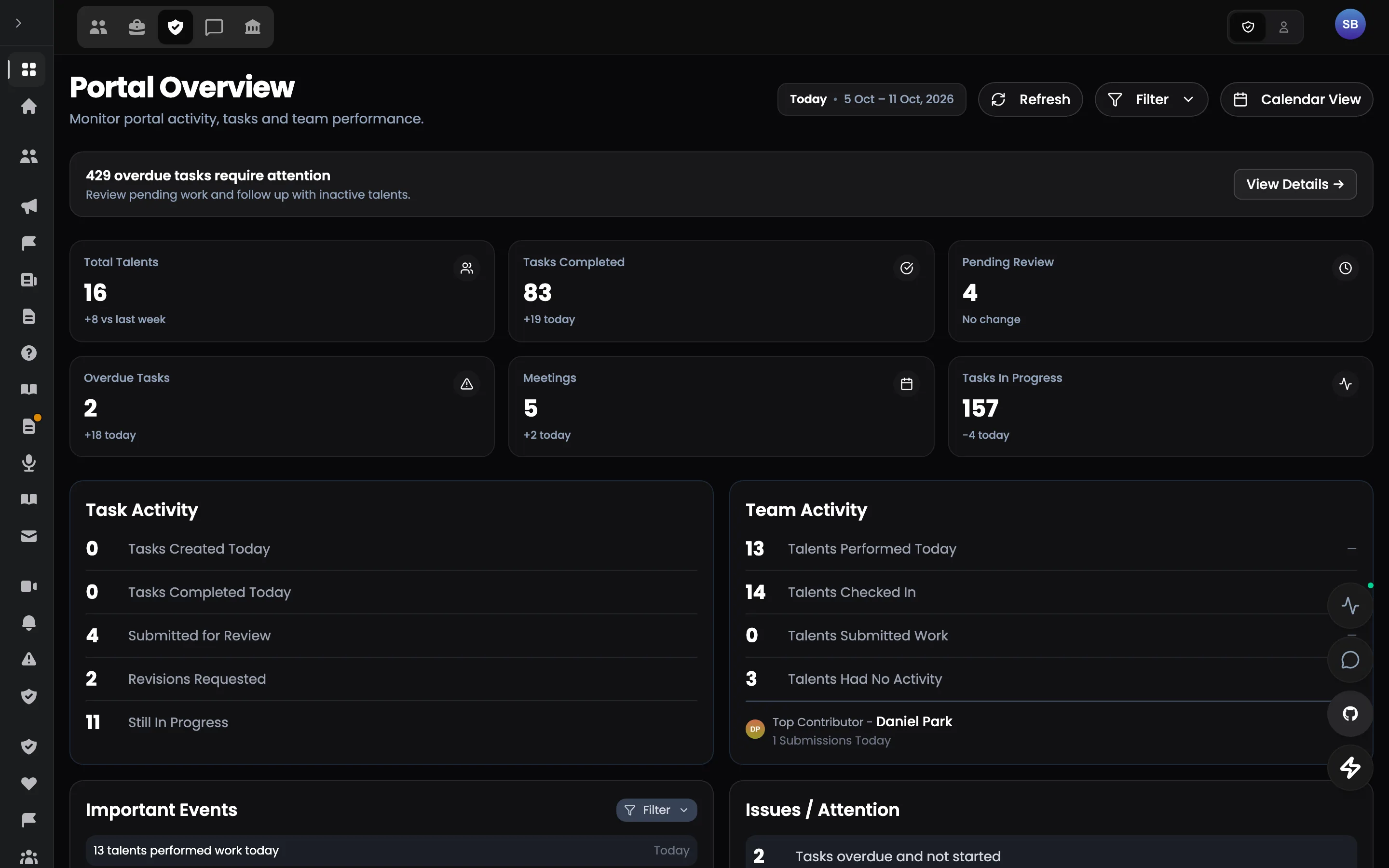
The admin lens
Health of the whole operation in one screen: check-ups, tasks, meetings, attendance and who needs attention today.
- Operational health at a glance
- At-risk people flagged early
- Every number opens its records
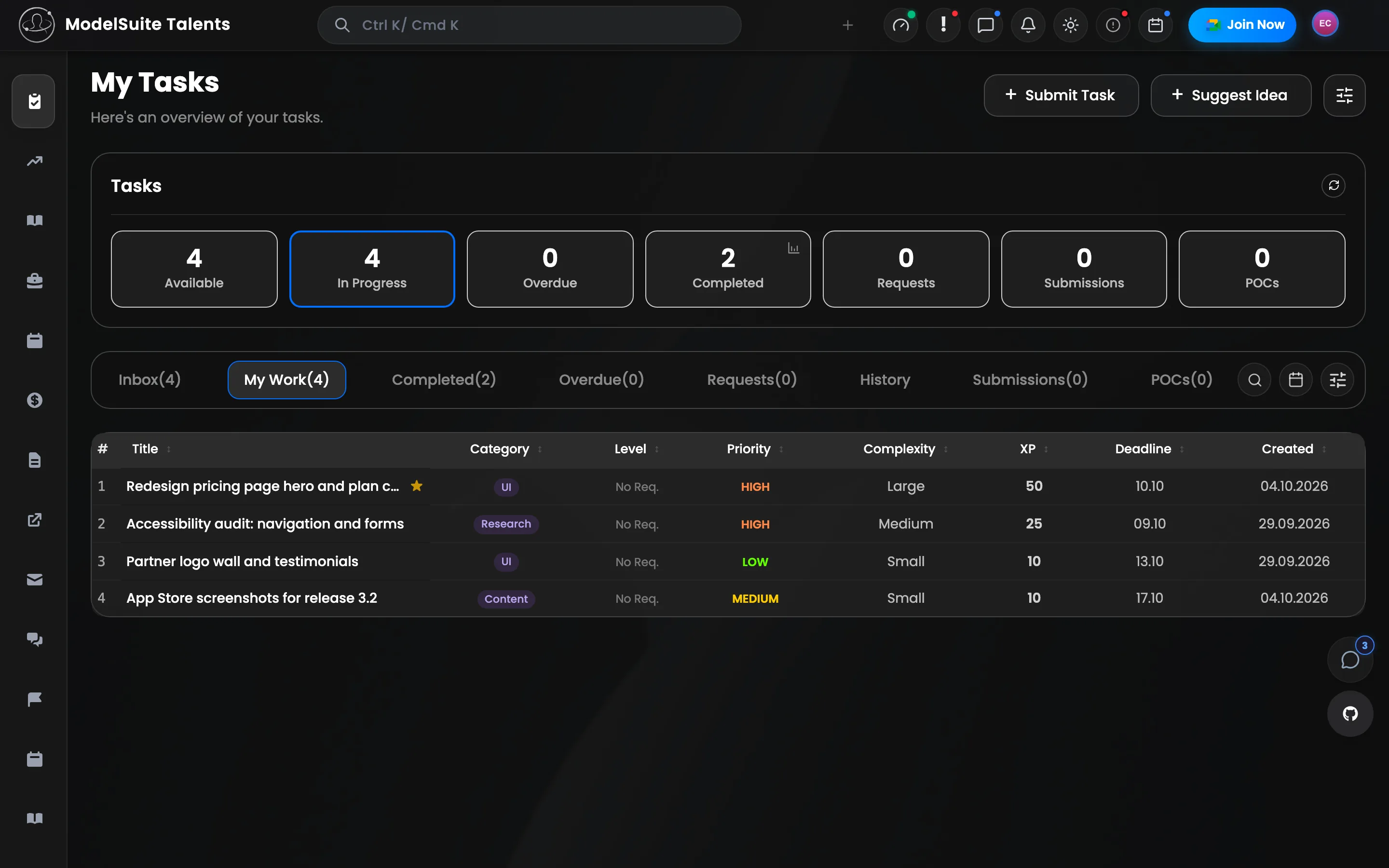
The talent lens
Everything a talent needs to own their work: tasks, schedule, time off, documents, payments, learning and their standing.
- Tasks with XP and clear review rules
- Schedule, time off and pay in one place
- Nothing about their work hidden from them
Recognition built in
Make good work visible.
XP, badges and leaderboards.
Approved work and participation earn experience points; levels unlock access, badges mark milestones and leaderboards run monthly and all-time. Every award is configurable and recorded.
Explore XP, badges & leaderboard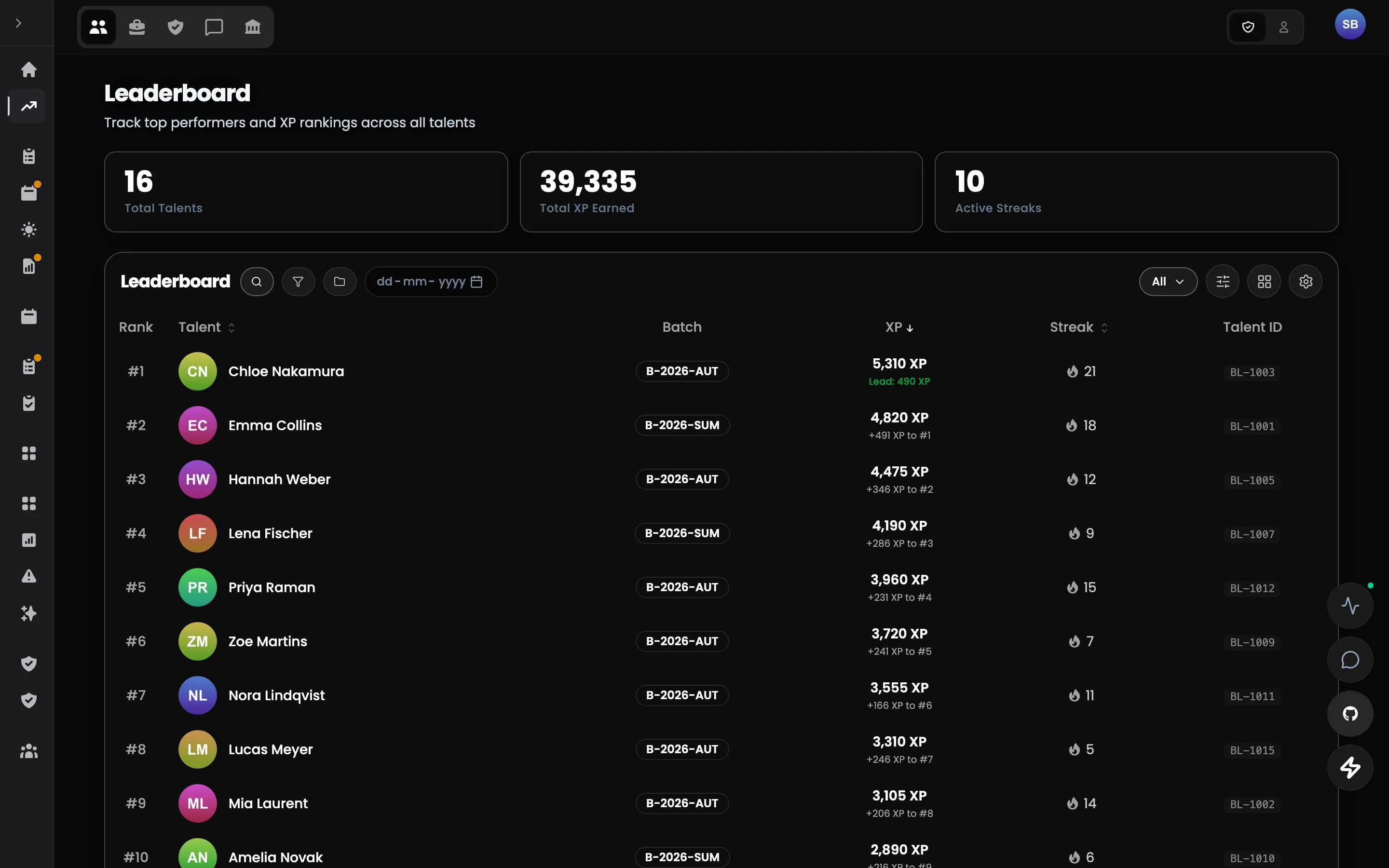
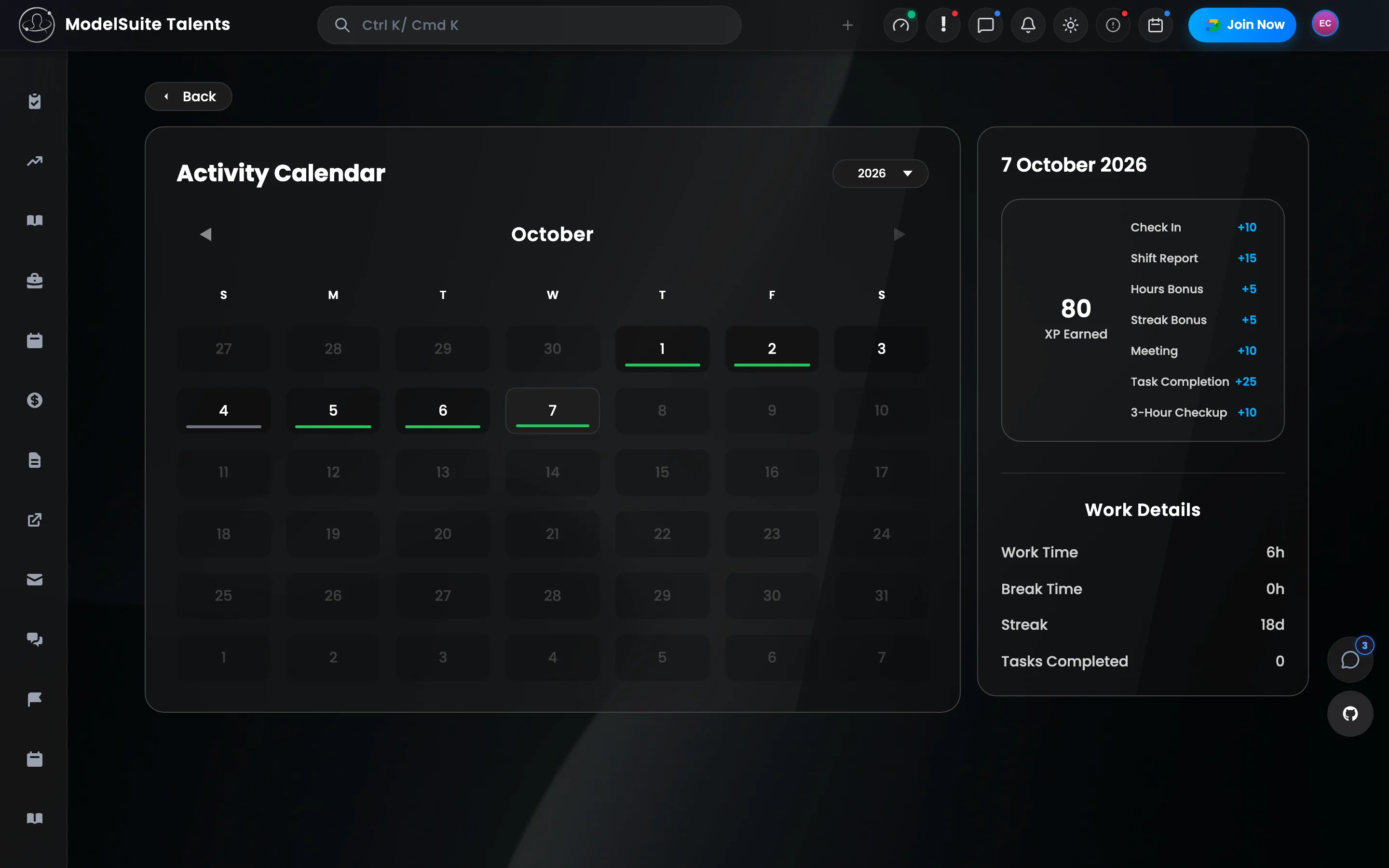
Portals
Six portals. Each one for a job.
Workspaces, Operations, Talent, Hiring, Communication and Admin — each a focused surface on the same data.
Work
Workspaces
Where the work itself gets done.
ExploreOperations
Operations
Run the day-to-day of the whole workforce.
ExplorePeople
Talent portal
The same record, from the talent's side.
ExplorePeople
Hiring
From public careers page to first day.
Explore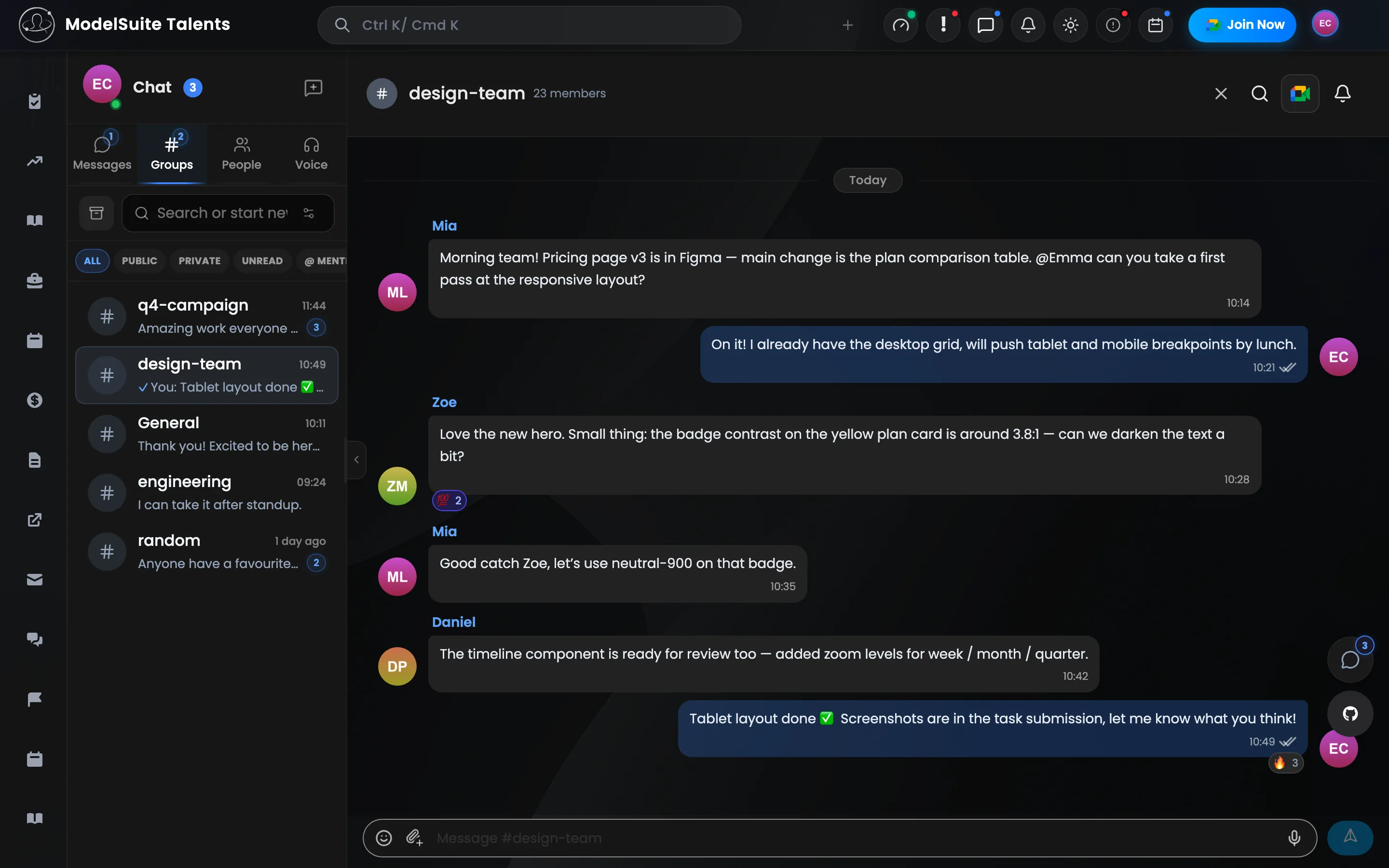
Operations
Communication
One messenger for the whole organization.
Explore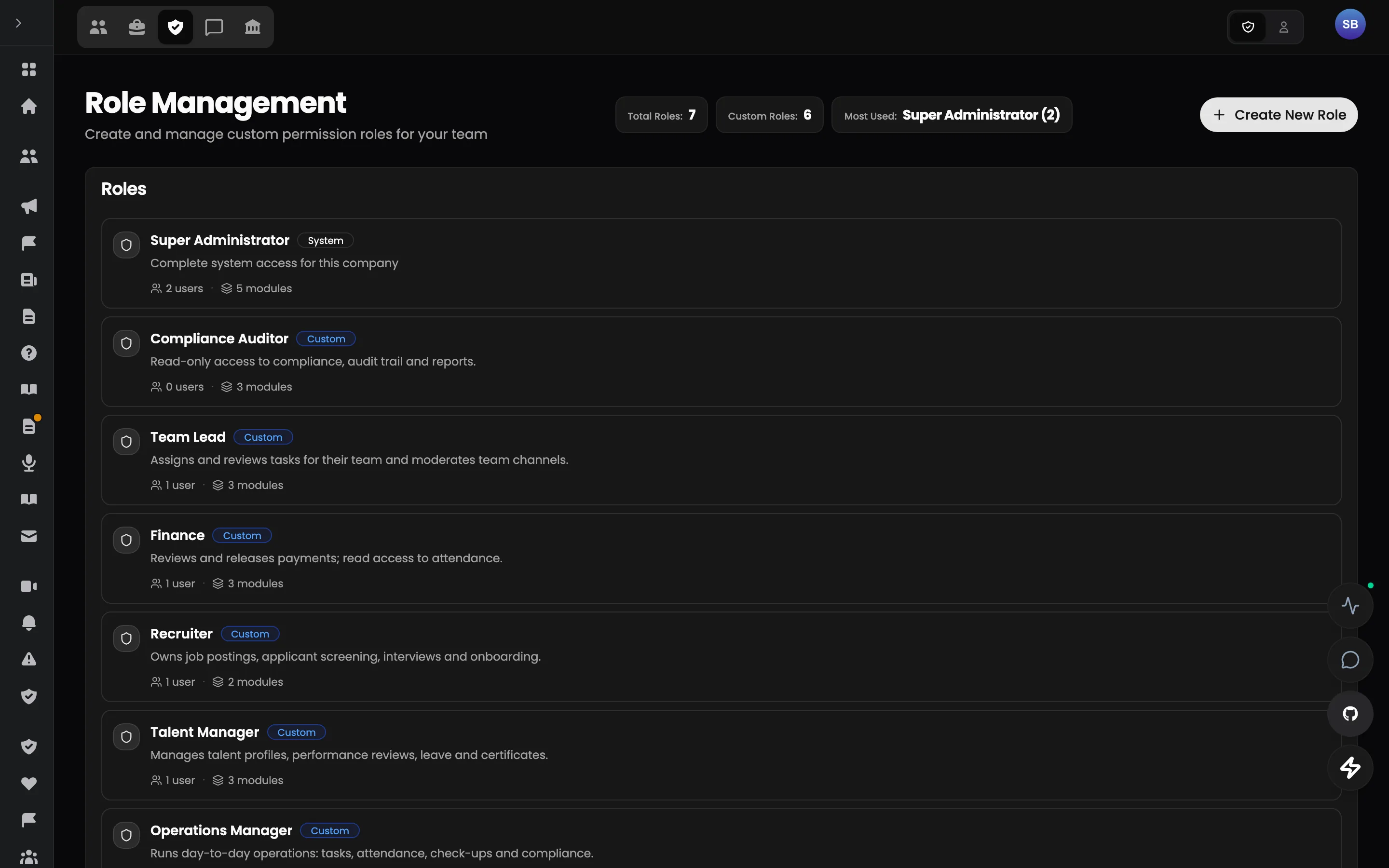
Operations
Admin
Govern the organization.
ExploreTrust
Governance built into every layer.
Granular roles, an immutable audit trail, portal access per group and time window, masked sensitive fields and two-factor sign-in by default.
SecurityEverywhere
Web, desktop and mobile.
In the browser, as a desktop app for Windows, macOS and Linux, and on mobile — with real-time updates and notifications on the channel each person reads.
PlatformThe pilot
How a pilot runs
- 01
Pick one area
One team or workflow where the friction is real.
- 02
We configure it
Workspace, roles, workflow and initial data — with your team.
- 03
Run it for real
The pilot team works in Talent Portal, beside existing tools where needed.
- 04
Decide on evidence
What improved, what needs adapting, and whether to expand.
Questions
Asked before every pilot.
What is Talent Portal?
A multi-tenant workforce operating system: hiring, tasks, shifts, check-ups, reports, pay, documents, learning and communication on one record — with a portal for admins and one for talents.
Who is it for?
Organizations that run work through a changing roster of people — agencies, operations teams, distributed teams and growing companies whose tools have multiplied one at a time.
Do we have to replace our existing tools?
No. A pilot starts with one area and runs alongside the current stack. Time tracking can stay connected (attendance is synchronised from Jibble), and other teams stay where they are.
Can it be adapted to how we work?
Yes. Roles, permissions, sidebar tabs, review rules, check-up and report forms, XP, gates and evaluation weights are configured per organization — not coded.
How is access controlled?
Roles are a matrix of module, feature and action. Portal access can be locked or opened per group and time window, sensitive fields are masked, and every change lands in an immutable audit trail.
Where does AI come in?
In clearly bounded places: weekly summaries per person, résumé parsing, media transcription and explanations of performance figures. Every AI recommendation stays reviewable by a person.
The pilot
Don't replace your stack on day one.
Start with the one workflow where fragmentation costs the most. Run Talent Portal alongside your current tools, measure the result, and expand only if it works.